Indexing ERC20 Token Transfers on Base
Introduction
In this tutorial, you'll learn how to index ERC20 token transfers on the Base network using Envio HyperIndex. By leveraging the no-code contract import feature, you'll be able to quickly analyze USDC transfer activity, including identifying the largest transfers.
We'll create an indexer that tracks all USDC token transfers on Base by extracting the Transfer events emitted by the USDC contract. The entire process takes less than 5 minutes to set up and start querying data.
Prerequisites
Before starting, ensure you have the following installed:
- Node.js (v22 or newer recommended)
- pnpm (v8 or newer)
- Docker Desktop (required to run the Envio indexer locally)
Note: Docker is specifically required to run your blockchain indexer locally. You can skip Docker installation if you plan only to use Envio Cloud.
Step 1: Initialize Your Indexer
- Open your terminal in an empty directory and run:
pnpx envio init
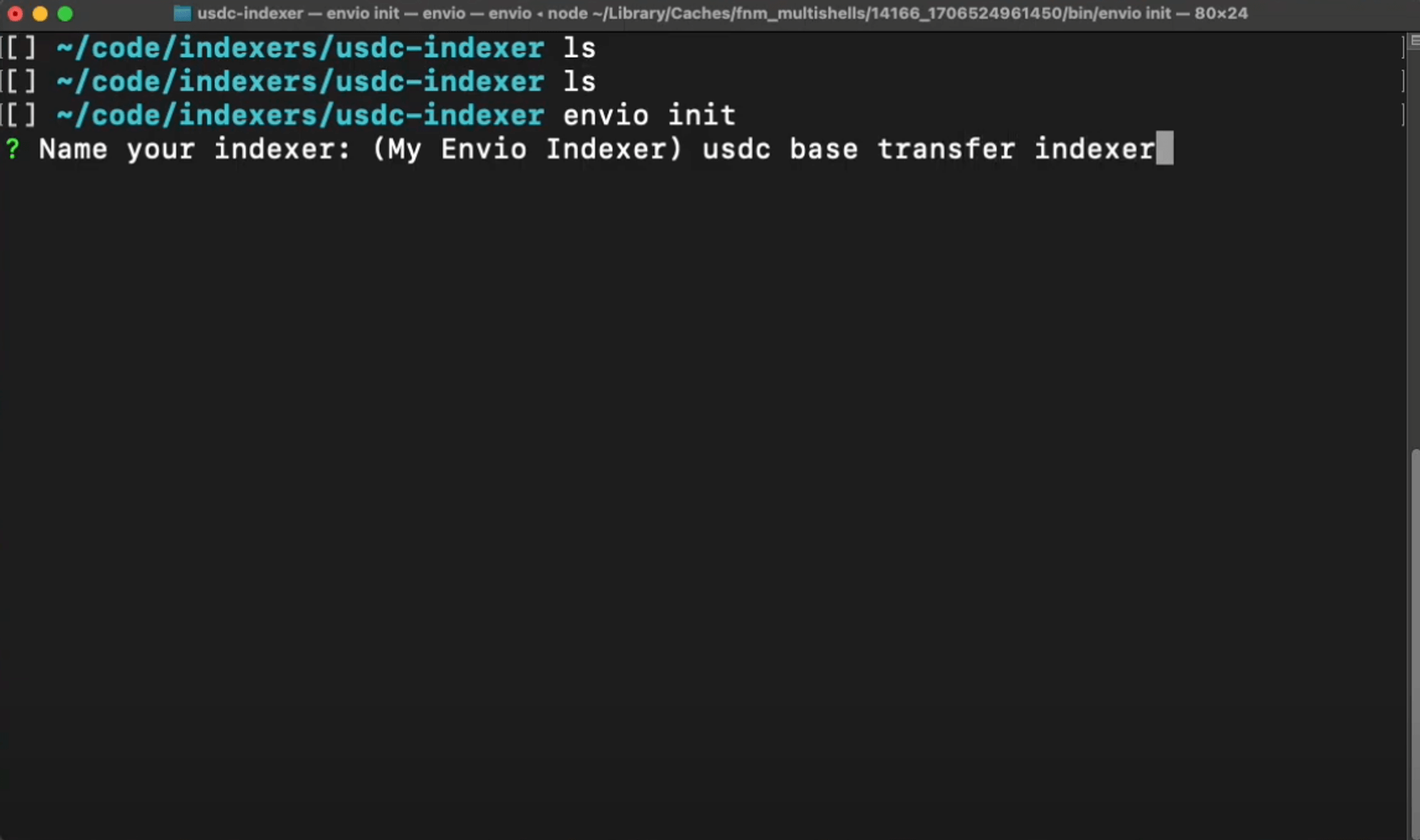
- Name your indexer (we'll use "usdc-base-transfer-indexer" in this example):
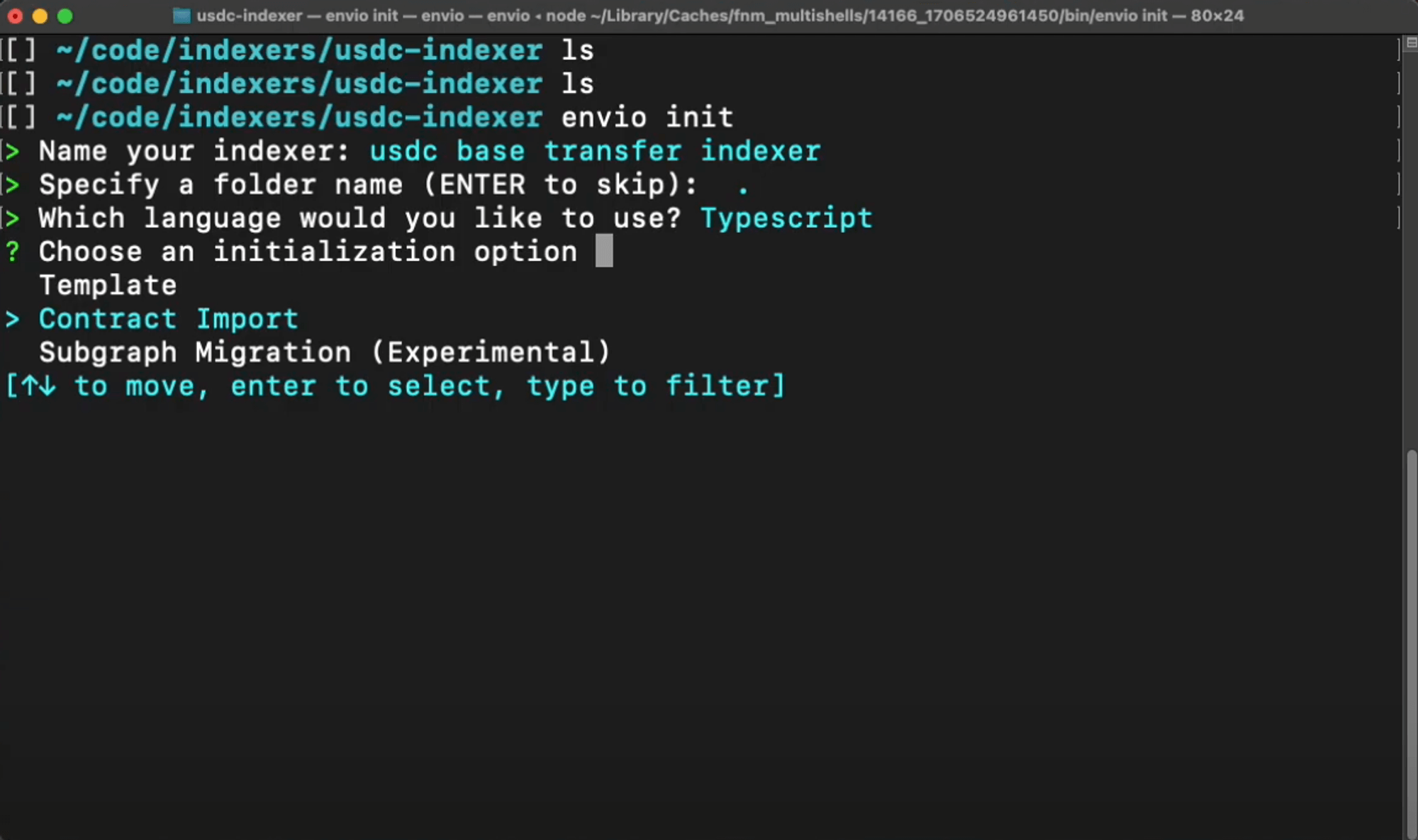
- Choose your preferred language (TypeScript, JavaScript, or ReScript):
Step 2: Import the USDC Token Contract
-
Select Contract Import → Block Explorer → Base
-
Enter the USDC token contract address on Base:
0x833589fCD6eDb6E08f4c7C32D4f71b54bdA02913 -
Select the
Transferevent:- Navigate using arrow keys (↑↓)
- Press spacebar to select the event
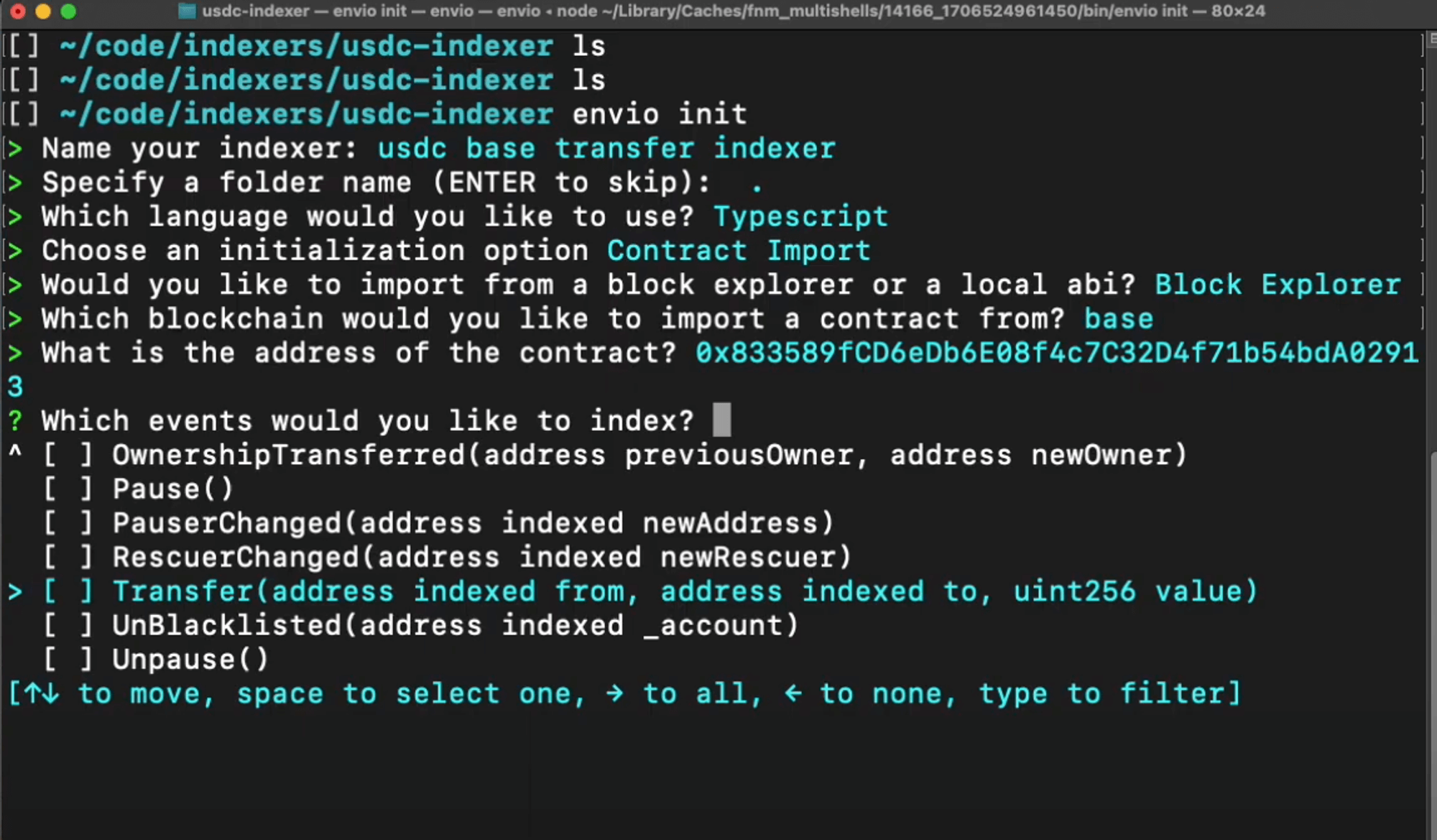
Tip: You can select multiple events to index simultaneously if needed.
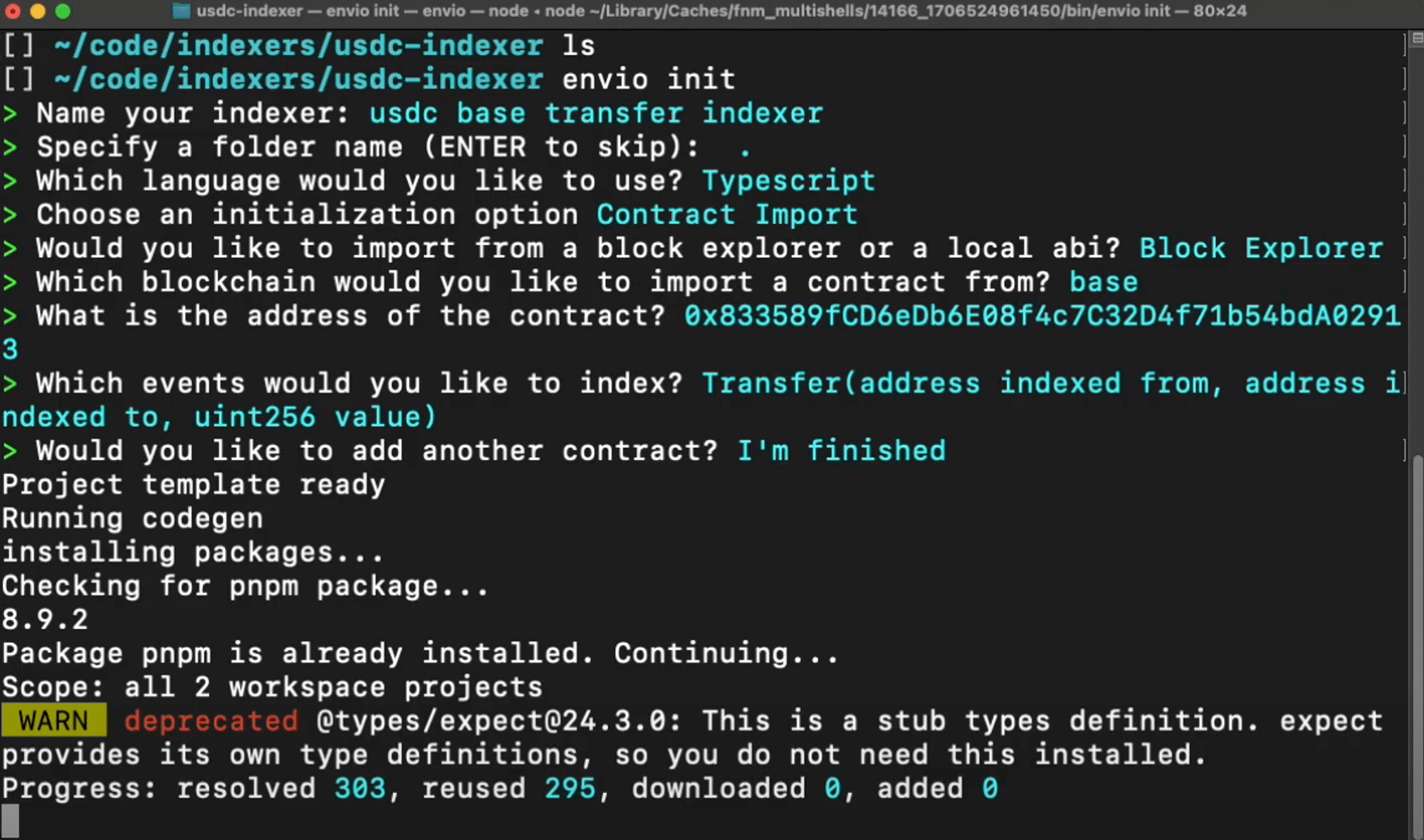
- When finished adding contracts, select I'm finished
Step 3: Start Your Indexer
- If you have any running indexers, stop them first:
pnpm envio stop
Note: You can skip this step if this is your first time running an indexer.
- Start your new indexer:
pnpm dev
This command:
- Starts the required Docker containers
- Sets up your database
- Launches the indexing process
- Opens the Hasura GraphQL interface
Step 4: Understanding the Generated Code
Let's examine the key files that Envio generated:
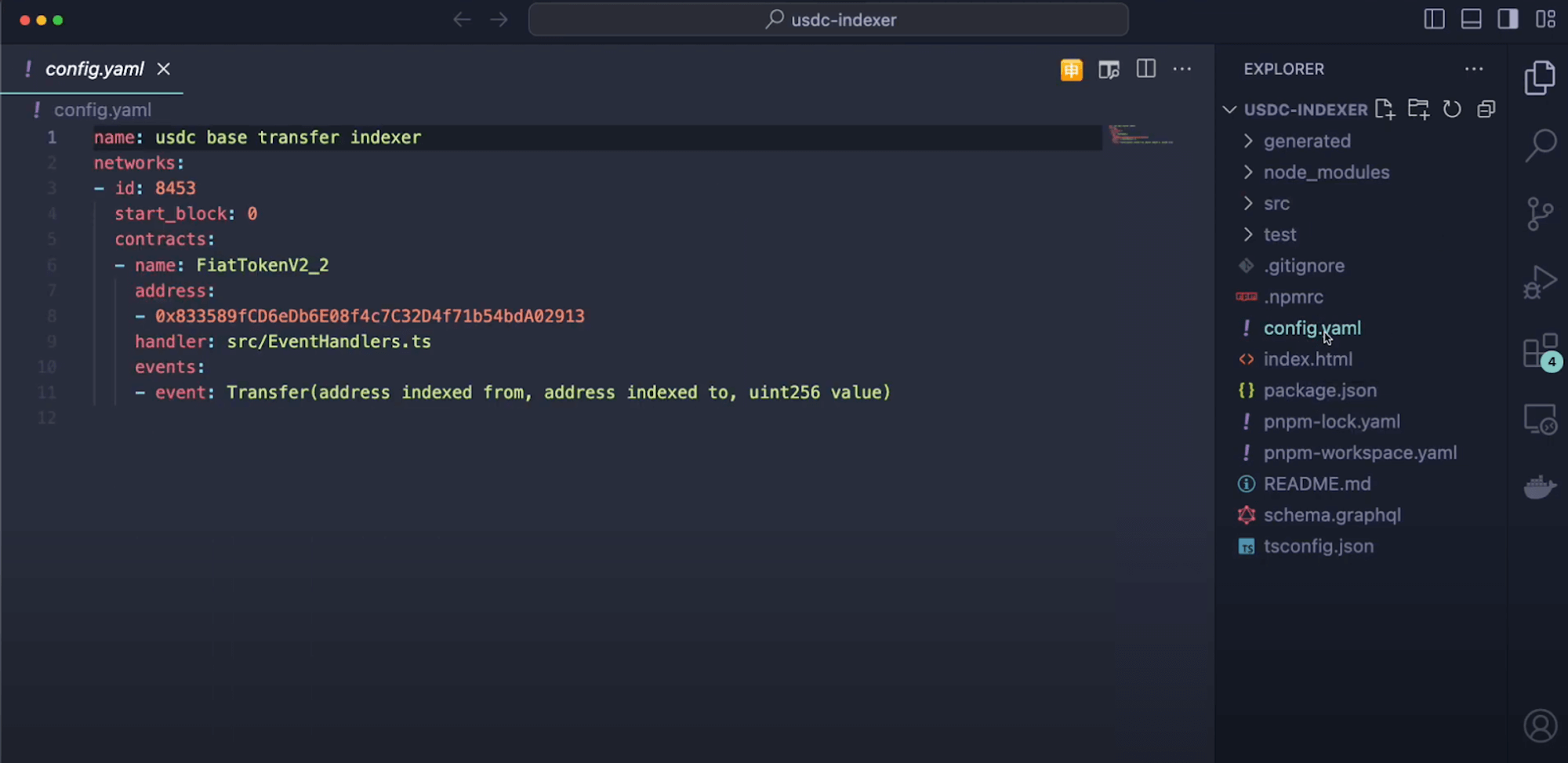
1. config.yaml
This configuration file defines:
- Network to index (Base)
- Starting block for indexing
- Contract address and ABI details
- Events to track (Transfer)
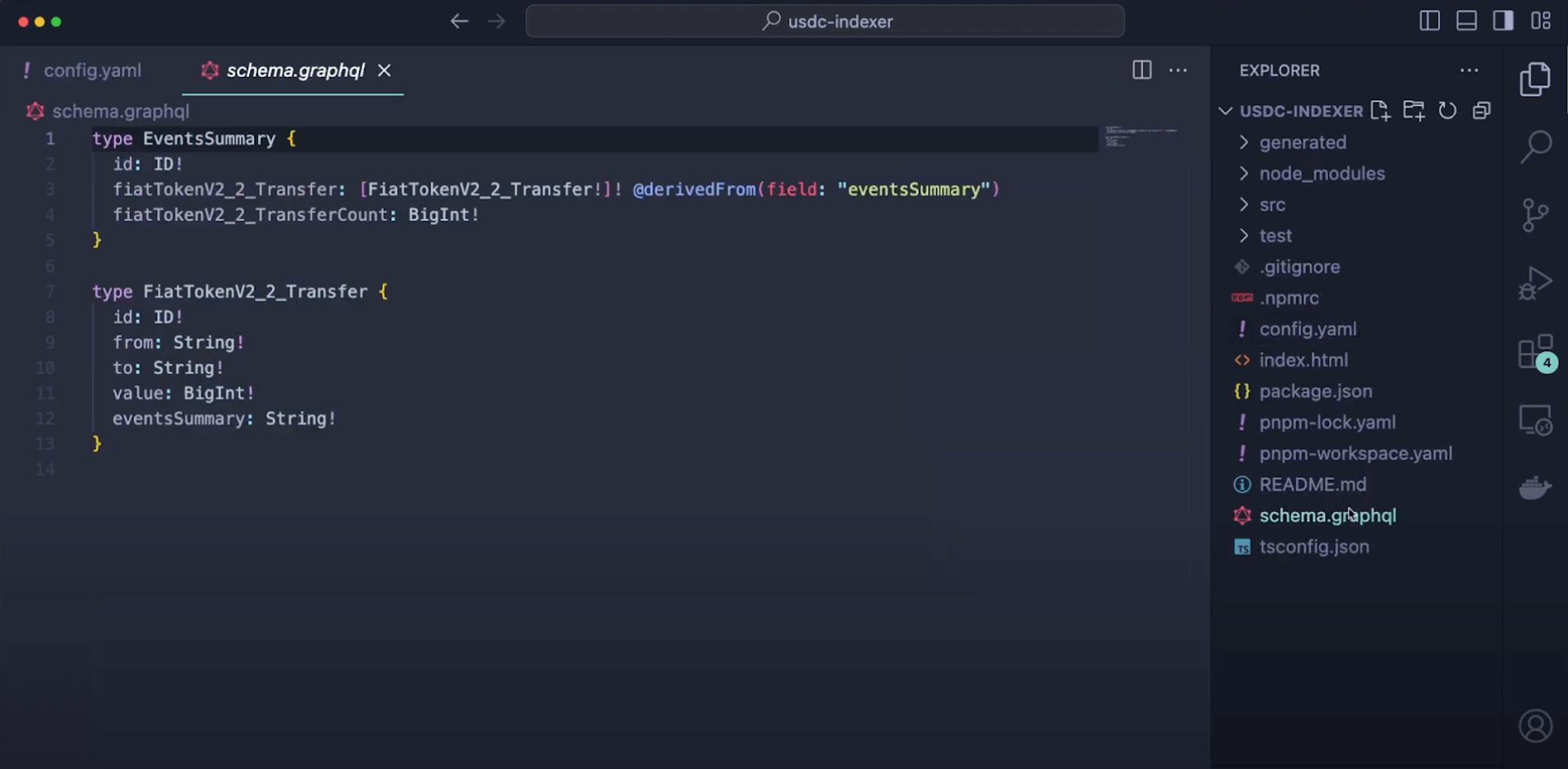
2. schema.graphql
This schema defines the data structures for the Transfer event:
- Entity types based on event data
- Field types for sender, receiver, and amount
- Any relationships between entities
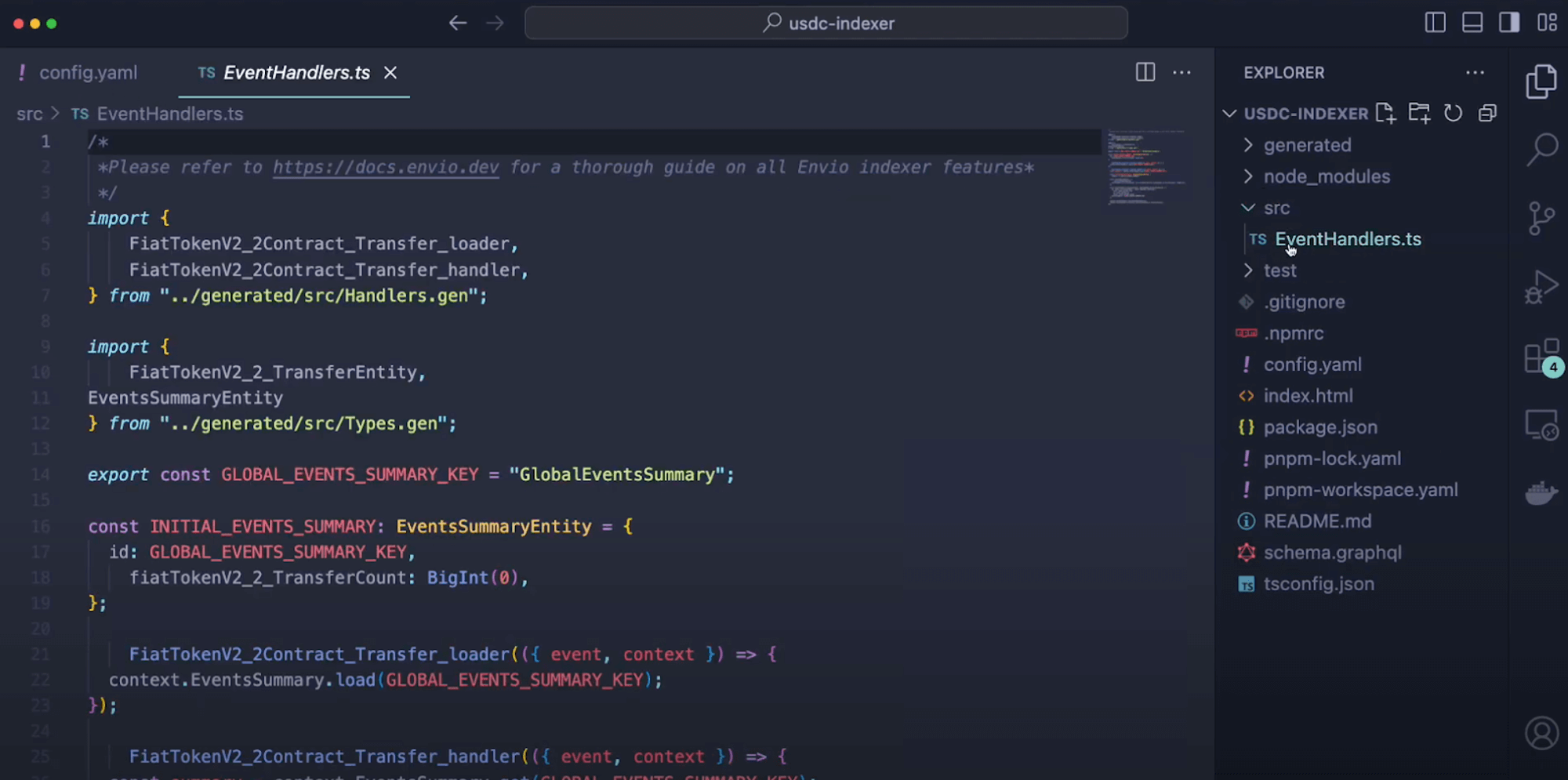
3. src/EventHandlers.*
This file contains the business logic for processing events:
- Functions that execute when Transfer events are detected
- Data transformation and storage logic
- Entity creation and relationship management
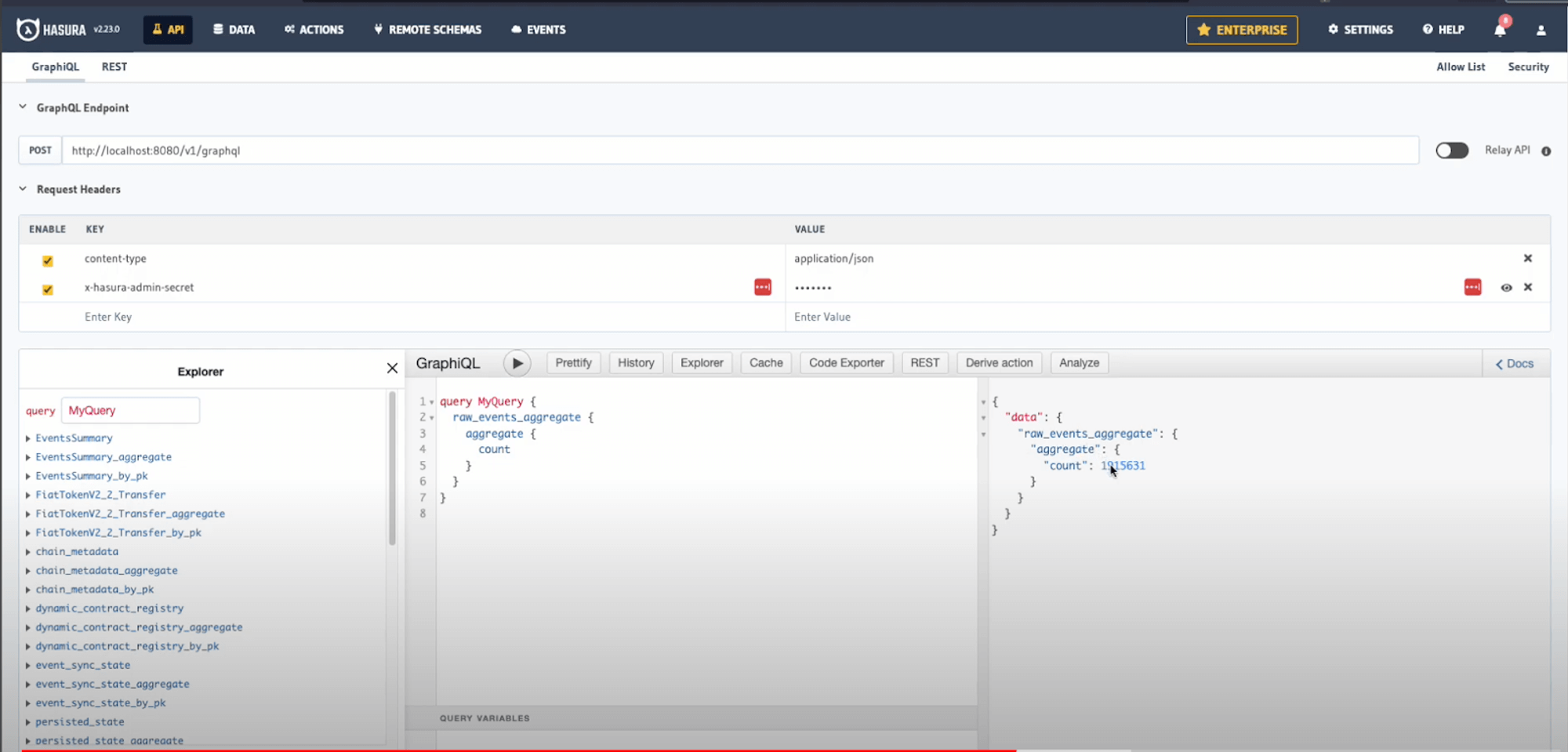
Step 5: Exploring Your Indexed Data
Now you can interact with your indexed USDC transfer data:
Accessing Hasura
- Open Hasura at http://localhost:8080
- When prompted, enter the admin password:
testing
Monitoring Indexing Progress
- Click the Data tab in the top navigation
- Find the
_events_sync_statetable to check indexing progress - Observe which blocks are currently being processed
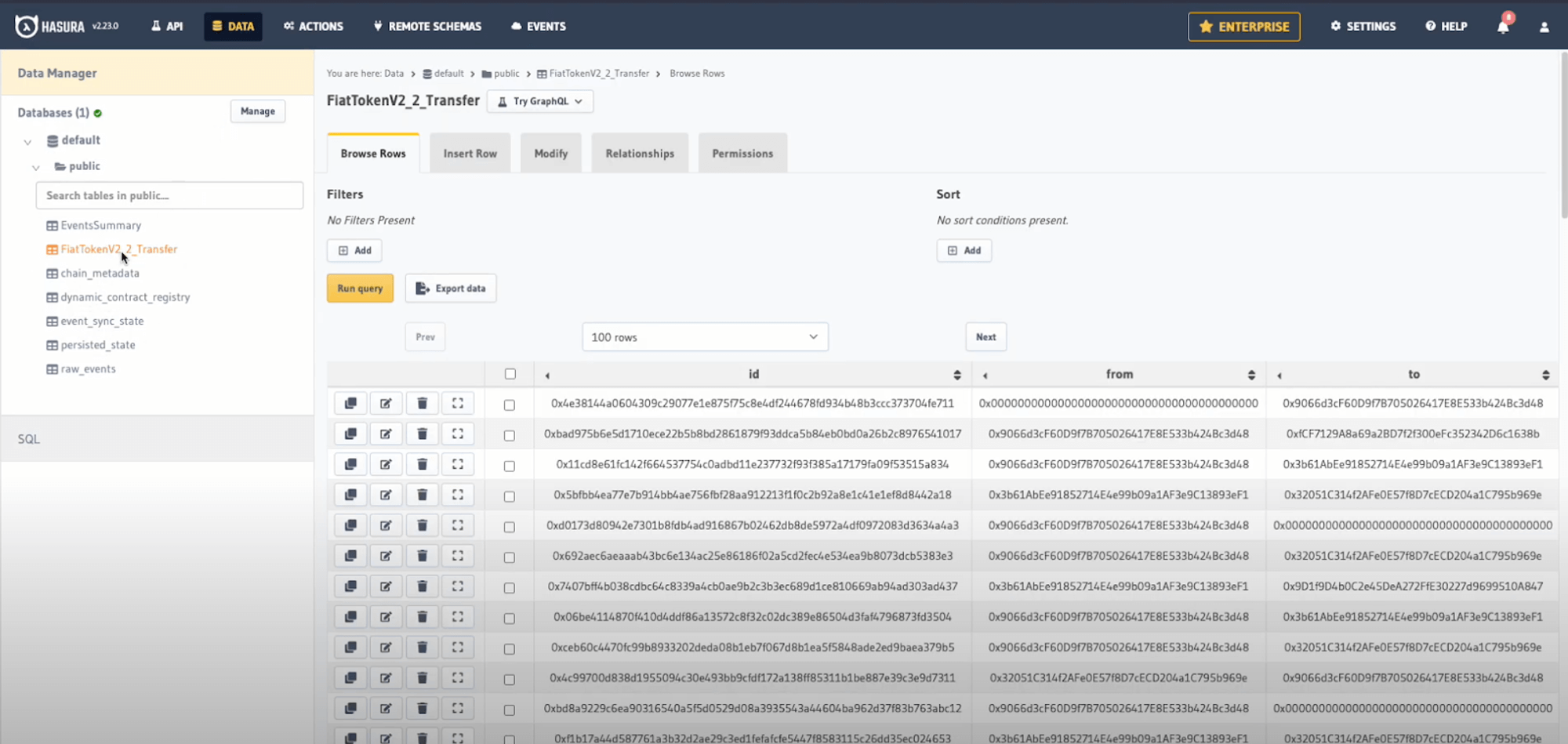
Note: Thanks to Envio's HyperSync, you can index millions of USDC transfers in just minutes rather than hours or days with traditional methods.
Querying Indexed Events
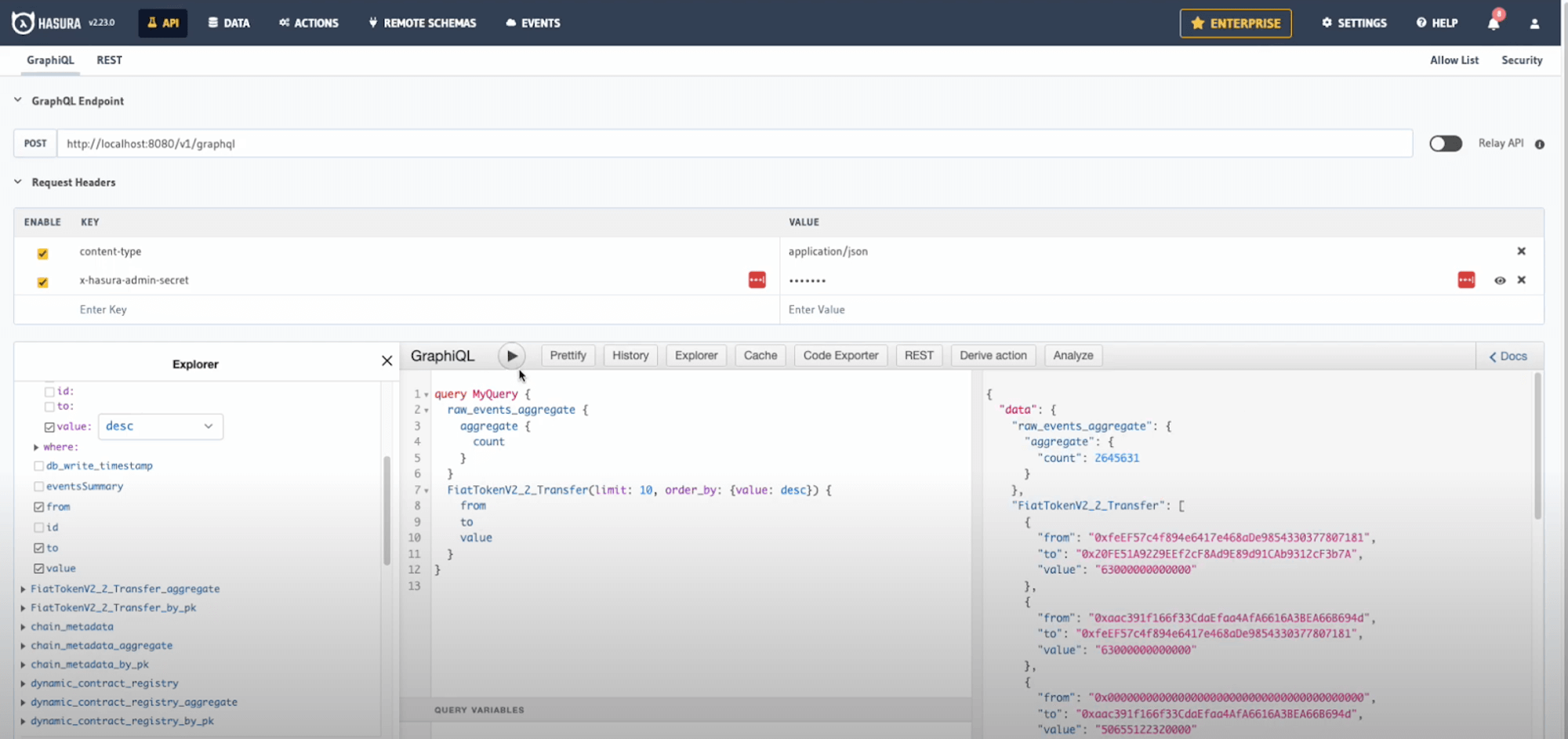
- Click the API tab
- Construct a GraphQL query to explore your data
Here's an example query to fetch the 10 largest USDC transfers:
query LargestTransfers {
  FiatTokenV2_2_Transfer(limit: 10, order_by: { value: desc }) {
    from
    to
    value
    blockTimestamp
  }
}
- Click the Play button to execute your query
Conclusion
Congratulations! You've successfully created an indexer for USDC token transfers on Base. In just a few minutes, you've indexed over 3.6 million transfer events and can now query this data in real-time.
What You've Learned
- How to initialize an indexer using Envio's contract import feature
- How to index ERC20 token transfers on the Base network
- How to query and analyze token transfer data using GraphQL
Next Steps
- Try customizing the event handlers to add additional logic
- Create aggregated statistics about token transfers
- Add more tokens or events to your indexer
- Deploy your indexer to Envio Cloud
For more tutorials and advanced features, check out our documentation or watch our video walkthrough on YouTube.